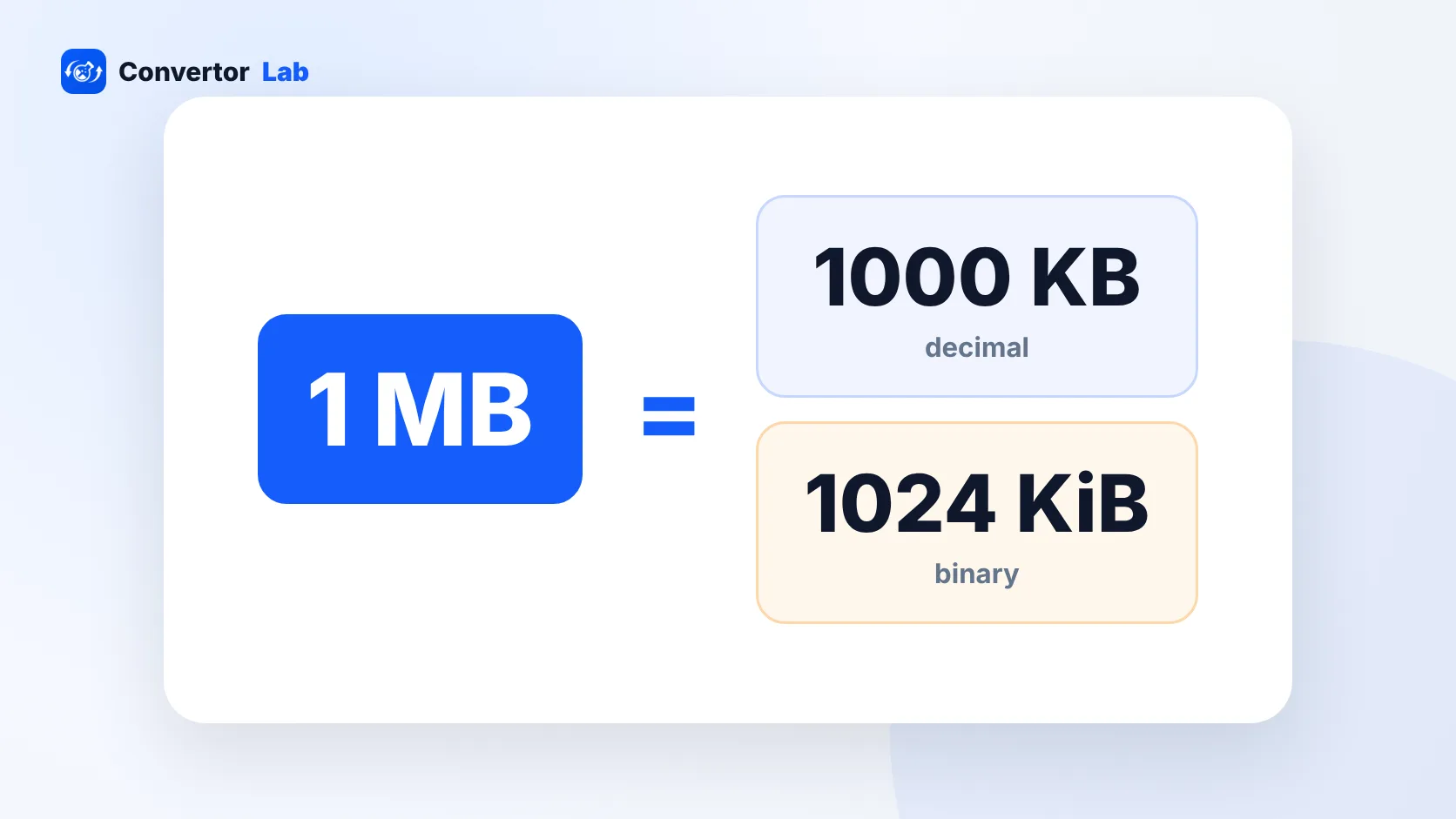
There are 1,000 KB in a MB if you count the decimal way, which is what storage makers, macOS and most websites use. There are 1,024 KB in a MB if you count the binary way, which is what Windows File Explorer does. So a KB is smaller than a MB, and for everyday sums like checking an upload limit, 1 MB = 1,000 KB is close enough.
How many KB are in 1 MB?
Both numbers are correct. They come from two counting systems that grew up side by side.
- Decimal (SI): 1 KB = 1,000 bytes and 1 MB = 1,000 KB, so 1 MB = 1,000,000 bytes.
- Binary (IEC): 1 KiB = 1,024 bytes and 1 MiB = 1,024 KiB, so 1 MiB = 1,048,576 bytes.
The binary units have their own names (kibibyte, mebibyte) and symbols (KiB, MiB). In practice people rarely write them, and Windows labels its binary values as KB and MB anyway. That is where the confusion starts.
Computers work in powers of two, and 1,024 is 2 to the 10th power. Early on it was close enough to 1,000 that everyone called it a kilobyte. As files and drives grew, the gap between the two systems grew with them.
Is KB bigger than MB?
No. A kilobyte is the smaller unit. A megabyte holds about a thousand of them. The full order, smallest first, is:
- Byte
- Kilobyte (KB)
- Megabyte (MB)
- Gigabyte (GB)
- Terabyte (TB)
Each step is roughly a thousand times the one before. A 500 KB photo is half a megabyte. A 2 MB PDF is about 2,000 KB. If a form says "maximum 1 MB" and your file is 800 KB, you're under the limit.
A quick way to sanity check: if the number in KB has four or more digits, the file is over 1 MB. 1,450 KB is about 1.45 MB.
KB vs MB: how to convert between them
For most purposes, divide by 1,000 to go from KB to MB and multiply by 1,000 to go the other way.
- 250 KB = 0.25 MB
- 750 KB = 0.75 MB
- 1,500 KB = 1.5 MB
- 5 MB = 5,000 KB
If you need the Windows-style binary figure, use 1,024 instead. 5 MiB is 5,120 KiB, and 1,500 KiB is about 1.46 MiB. The difference is small at this scale. It only gets noticeable with gigabytes and terabytes.
To skip the arithmetic, the KB to MB converter shows both the decimal and binary result side by side. There's also an MB to KB converter for the reverse.
Why does Windows show a different file size than my Mac?
Because they count differently. macOS has used decimal units since Mac OS X 10.6, so a file of 1,000,000 bytes shows as 1 MB in Finder. Windows File Explorer divides by 1,024, so the same file shows as about 976 KB, still labeled KB.
The file itself is identical. Only the label changes. The same effect explains why a new 1 TB drive appears as about 931 GB in Windows. The maker counted 10 to the 12th power bytes the decimal way, and Windows divided by 1,024 three times.
If you want the exact figure on Windows, right-click the file, open Properties, and look at the size in bytes shown in parentheses. On a Mac, select the file and choose File > Get Info. Bytes are bytes on every system, so that number is the one to compare when two computers disagree.
This also matters when a form's limit sits right on the edge. A scan that Windows calls 195 KB is really about 200,000 bytes. A site that counts in decimal would see it as 200 KB, right at a 200 KB cap.
Which number do upload forms use?
Most upload forms check the file's size in bytes against a limit. The page rarely says which system it uses, and two forms with the same printed limit can behave slightly differently.
The safe habit is to stay a little under. If the form says "max 200 KB", aim for around 190 KB. That covers you whether the site means 200,000 bytes or 204,800 bytes. The same goes for "max 2 MB": a file of 1.9 MB passes either way.
When a photo is just over the limit, compress it to a target size instead of guessing at quality settings:
- Check the limit on the form and note whether it says KB or MB.
- Pick a target slightly below it, such as 190 KB for a 200 KB cap.
- Run the image through a tool like resize image to 200KB, or a PDF through the matching PDF compressor.
- Open the result and check that text and faces are still clear before you upload.
KB, Kb and Mbps: does the capital letter matter?
Yes. A capital B means bytes and a lowercase b means bits. One byte is 8 bits.
File sizes are almost always given in bytes (KB, MB, GB). Internet speeds are given in bits per second, such as Mbps. That's why a 100 Mbps connection downloads at roughly 12.5 MB per second at best, not 100 MB. Divide the Mbps figure by 8 to get megabytes per second.
When a spec sheet or upload page writes "kb" in lowercase, it usually means kilobytes anyway. People are casual about it. If the number looks wrong by a factor of eight, a bits versus bytes mix-up is the likely cause.
For the next step up, the guide on how many MB are in a GB covers phone storage, data plans and the 931 GB question in more detail.
Free tools that run in your browser
Frequently asked questions
How many KB is 1 MB?
1 MB is 1,000 KB in decimal units, used by macOS and storage makers. In binary units, used by Windows File Explorer, it is 1,024 KB.
Is KB bigger than MB?
No. KB is the smaller unit. One megabyte holds about a thousand kilobytes, so a 500 KB file is about half a megabyte.
How many KB is 2 MB?
2 MB is 2,000 KB in decimal units or 2,048 KB in binary units. For upload limits, treat it as 2,000 KB and stay a little under.
Is 200 KB smaller than 1 MB?
Yes. 200 KB is about one fifth of a megabyte.
What is the difference between KB and Kb?
KB with a capital B means kilobytes. Kb with a lowercase b means kilobits, and 8 bits make one byte.