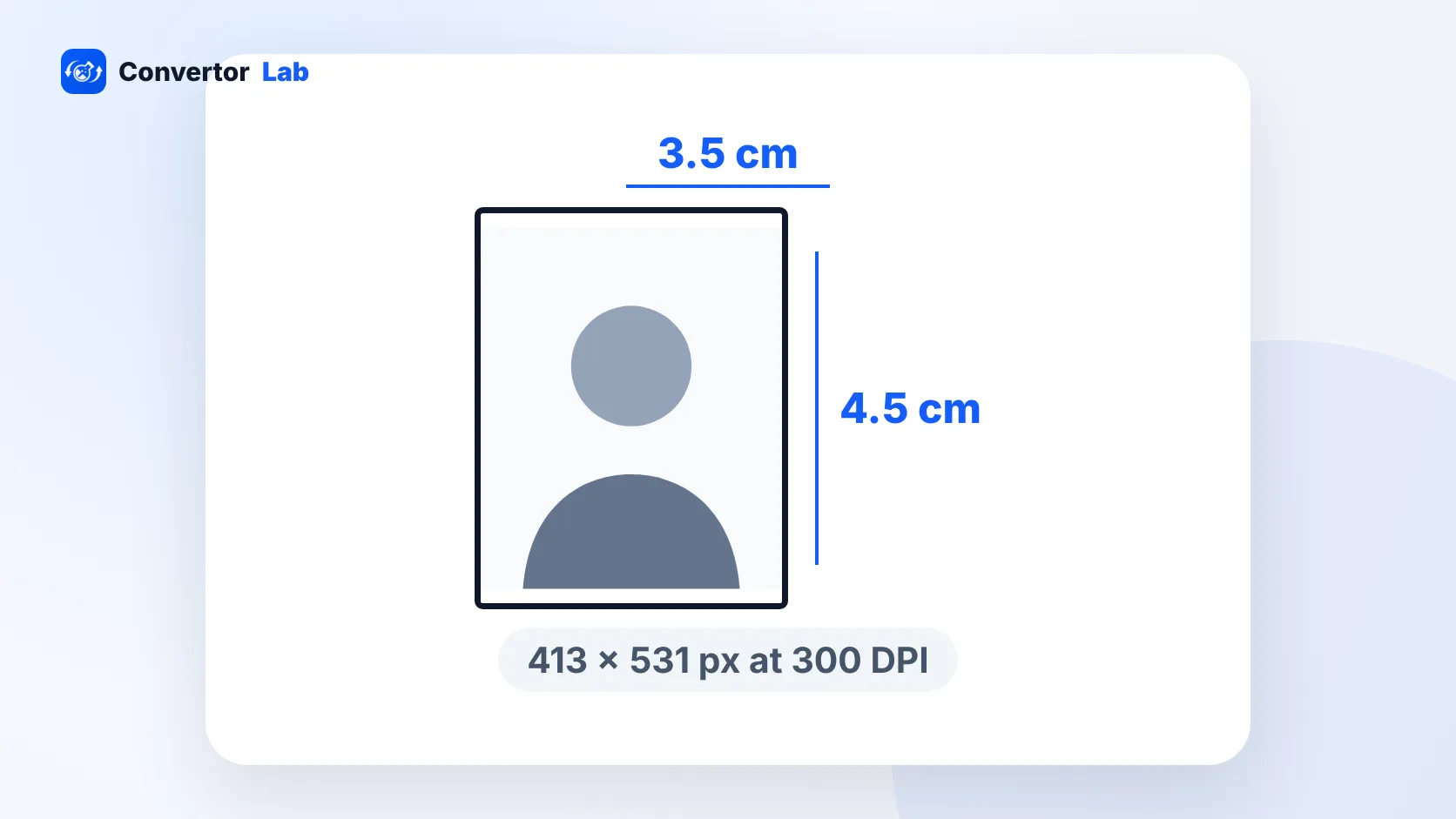
A passport size photo in India is 3.5 cm wide by 4.5 cm high (35 x 45 mm). It should be in colour, with a plain white background and your full face looking straight at the camera. In inches that's about 1.38 x 1.77, and at 300 DPI it comes to 413 x 531 pixels. One catch: if you apply for a passport at a Passport Seva Kendra or Post Office PSK, you don't bring a photo at all. Staff take it at the counter.
What is passport size photo size in India?
The phrase "passport size photo" covers far more than passports. Exam forms, PAN applications, bank KYC and college admissions all ask for one. In most Indian paperwork it means the 3.5 x 4.5 cm format, held in portrait orientation so the height is the longer side.
Here is the same size in the units you're likely to need:
- Centimetres: 3.5 cm wide x 4.5 cm high
- Millimetres: 35 x 45 mm
- Inches: about 1.38 x 1.77
- Pixels at 300 DPI: 413 x 531
The shape is a 35:45 ratio. Get that proportion right first, then worry about pixels or file size. A photo cropped to the wrong shape will look stretched or squashed once a portal forces it into its frame.
Some forms that say "passport size" set their own rules. PAN uses a smaller 2.5 x 3.5 cm photo, and exam portals like NEET and UPSC care mostly about the file size in KB. If a form gives its own numbers, those win.
Do you need a photo for an Indian passport application?
For applications at a PSK or POPSK inside India, no. The Passport Seva instruction booklet says your photo is captured at the centre during the appointment. Printing photos for that visit is wasted money.
A printed photo matters when you apply through other centres, such as a District Passport Cell (DPC), Speed Post Centre (SPC) or Common Service Centre (CSC). For those, you need:
- A recent colour passport size photo
- 4.5 cm in length and 3.5 cm in width
- A plain white background
- A frontal view of your full face
- No signature across the photo
Rules change between booklet versions, so check the current official instructions on the Passport Seva portal before your appointment.
Passport size photo size in pixels
A pixel size only makes sense next to a print resolution. The formula is simple: convert centimetres to inches, then multiply by the DPI. At 300 DPI, the usual standard for sharp photo prints, 3.5 x 4.5 cm gives 413 x 531 pixels.
The DPI number saved inside a file doesn't add any detail. It only tells a printer how large to print the pixels you already have. A screen ignores it completely. So if a website asks for a passport photo "in pixels", match the pixel dimensions and don't fuss over the DPI tag.
Most online forms check two things: the shape and the file size in KB. Plenty of them never mention pixels at all. A modern phone photo has far more pixels than any form needs, so your job is mostly cropping to the right shape and then shrinking the file.
Indian passport photo size when applying from the US or abroad
Applications made outside India follow a different standard. For an Indian passport, visa or OCI application through VFS in the US, the photo is square:
- 2 x 2 inches (51 x 51 mm)
- Head height between 1 and 1 3/8 inches (25 to 35 mm)
- Colour, with a plain white background
- Natural expression and no tinted glasses
- 600 x 600 pixels if you're preparing it at 300 DPI
A 3.5 x 4.5 cm print won't pass here. The reverse is also true: a square 2 x 2 photo won't pass at an Indian centre that wants 35 x 45 mm. Make two separate crops from the same original shot if you need both.
How to make a passport size photo at home
You need a phone camera, a plain white wall and daylight from a window in front of you. Then:
- Stand about an arm's length from the wall so your shadow doesn't land behind you. Face the window.
- Have someone hold the phone at your eye level. Look straight at the lens with a neutral face and take several shots.
- Pick the sharpest one and open it in Crop Image. Choose the 35:45 passport ratio and leave a little space above your head.
- For a print-ready file, open Resize Image, switch the unit to cm, enter 3.5 x 4.5 and set 300 DPI.
- If an online form sets a KB limit, type it into the max file size box in the same tool. It lowers quality first and only then trims dimensions.
On a Mac, Preview can do the resize step. Open the photo, go to Tools > Adjust Size, pick centimetres, and type the width, height and resolution. On a phone, the gallery app's crop tool works if it lets you set a custom ratio.
The ConvertorLab tools run inside your browser, so the photo stays on your device. That's worth knowing when the file is your face and will sit next to an ID number.
Common rejection reasons for passport size photos
Most rejections come from a short list of problems:
- The background is grey, cream or patterned, or has a shadow behind your head.
- Your head is tilted or turned, so the face isn't frontal.
- The crop is the wrong shape, such as a square photo where 3.5 x 4.5 cm was asked.
- The photo is old and no longer looks like you.
- There's a signature, stamp or mark on the photo.
- You're wearing tinted glasses, which the rules for applications abroad don't allow.
- The file is above the portal's KB limit, or so small that the portal rejects it.
- The image was compressed so hard that the face looks blurry or blocky.
- Width and height were changed separately, which stretches the face.
When an upload keeps failing with a vague error, check these in order: format (JPG is safest), shape, then file size.
Photo sizes for exams and other Indian forms
Each portal publishes its own rules, and they differ more than people expect. NEET asks for a passport photo plus a postcard size photo, covered in the NEET photo size guide. UPSC sets KB ranges and wants both ears visible, as explained in the UPSC photo size guide. PAN wants a smaller photo with a strict cap, listed in PAN card photo size in KB. SSC is the odd one out: it captures your photo live through the camera, so the main file you prepare there is the signature.
Keep your original, uncropped photo saved somewhere safe. Starting each new crop from the full-size original gives a sharper result than re-cropping a file that's already been shrunk.
Free tools that run in your browser
Frequently asked questions
What is passport size photo size in cm?
In India it is 3.5 cm wide by 4.5 cm high (35 x 45 mm), in colour, with a plain white background and a frontal view of your full face.
What is passport size photo size in pixels?
At 300 DPI, a 3.5 x 4.5 cm photo is 413 x 531 pixels. If a form lists its own pixel or KB limits, follow those instead.
Do I need to carry a photo to the Passport Seva Kendra?
No. For applications at a PSK or POPSK in India, the photo is captured at the centre. A printed photo is needed at other centres such as a DPC, SPC or CSC.
What size photo do I need for an Indian passport or OCI in the US?
Applications abroad, such as through VFS in the US, use a 2 x 2 inch (51 x 51 mm) colour photo with a white background and a head height of 25 to 35 mm.
Can I make a passport size photo on my phone?
Yes. Take a well-lit photo against a white wall, crop it to the 35:45 ratio, then resize it to 3.5 x 4.5 cm or to the KB limit the form asks for.