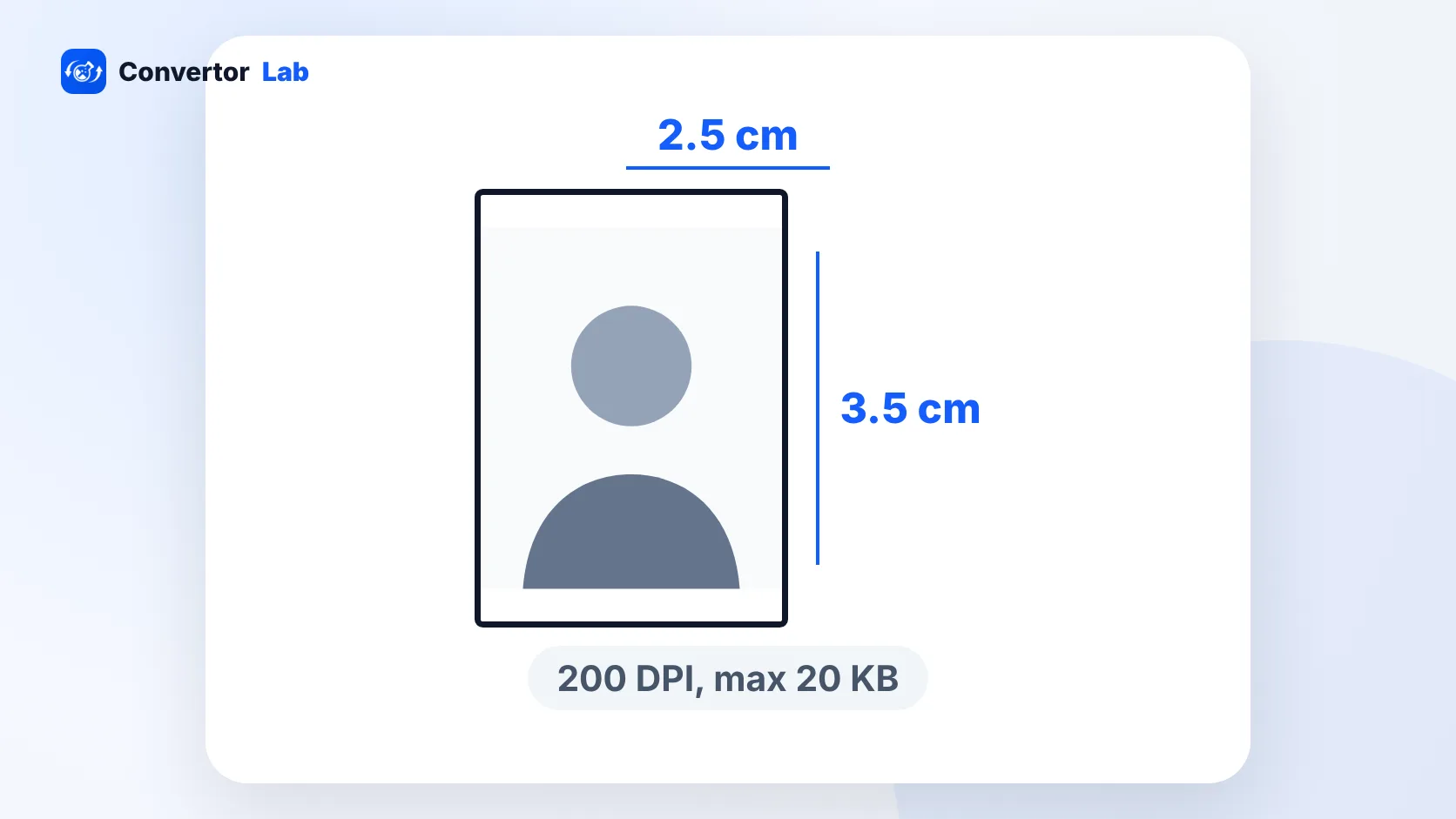
For a PAN card application through Protean (formerly NSDL) with scanned uploads, the photo must be a colour JPEG of no more than 20 KB. Its size is 3.5 cm high by 2.5 cm wide at 200 DPI, which works out to about 197 x 276 pixels. The signature is a separate colour JPEG of no more than 10 KB, sized 2 cm high by 4.5 cm wide at 200 DPI (about 354 x 157 pixels).
These specs come from Protean's scanning instructions for online PAN applications. Before you upload, check the current official instructions on the Protean PAN portal, since the form can change.
PAN card photo size in KB and cm
The full photo spec:
- Size: 3.5 cm high x 2.5 cm wide
- Resolution: 200 DPI
- Colour photo
- Format: JPEG
- File size: 20 KB maximum
- Pixels: about 197 wide x 276 high
This is smaller than the usual 3.5 x 4.5 cm passport size photo used for passports and many other Indian forms. Don't reuse a passport photo file as it is. Its shape is different, and a typical phone photo is far above 20 KB.
The pixel figure follows from the cm size and the 200 DPI setting. If your editor asks for pixels, use about 197 x 276. If it asks for cm and DPI, enter 2.5 x 3.5 cm at 200 DPI. Both describe the same image.
PAN card signature size in KB
The signature has its own spec:
- Size: 2 cm high x 4.5 cm wide
- Resolution: 200 DPI
- Colour image
- Format: JPEG
- File size: 10 KB maximum
- Pixels: about 354 wide x 157 high
Note the colour requirement. A scanner set to black and white mode produces the wrong kind of file, even if it looks fine. Scan or photograph the signature in colour and save it as JPEG.
How to resize a photo for PAN card to 20 KB
Start with a clear, front-facing colour photo of yourself. A phone photo works if the light is good and your face is in sharp focus. Then:
- Open Resize Image and switch the unit to cm.
- Enter a width of 2.5 and a height of 3.5, and set the DPI to 200.
- Choose the Exact (cover) crop mode so the photo fills the shape without stretching your face.
- Set the max file size to 20 KB, or a little under it.
- Download the JPG and check its size in your file manager.
If the photo already has the right shape and only the file is too heavy, resize image to 20 KB does just that step. For a manual crop first, Crop Image lets you frame your face before you resize.
On a Mac, Preview can set the size too. Open the photo, choose Tools > Adjust Size, pick centimetres, and enter the width, height and resolution. Preview won't aim for a KB target, though. To get the size down, export as JPEG and lower the quality slider until the file drops under 20 KB.
The ConvertorLab tools run in your browser. Your photo and signature stay on your device, which matters for files tied to a tax ID.
How to resize a PAN signature to 10 KB
- Sign on plain white paper with a dark pen.
- Photograph or scan it in colour, from directly above, with no shadow across the page.
- In Resize Image, set the unit to cm and enter 4.5 wide by 2 high at 200 DPI, with the Exact crop mode.
- Set the max file size to 10 KB.
- Check that the signature is still readable at full zoom before you upload.
There's no separate fixed-size page for 10 KB, so the max file size box in Resize Image is the easiest route. The Image Compressor also takes a custom KB target if you've cropped the signature already.
A small signature image at 10 KB should still look sharp, since it's mostly white paper. If it comes out blurry, the starting photo was probably out of focus. Retaking it is quicker than trying to sharpen it in an editor.
How to check the PAN photo file size before uploading
Look at the saved file itself, not the number you typed into a tool.
- Windows: right-click the file, choose Properties and read the Size line.
- Mac: select the file in Finder and press Command + I.
- iPhone: in the Files app, press and hold the file and tap Get Info.
- Android: open the file's details or info panel in your file manager.
Forms usually count the exact bytes. Windows counts 1 KB as 1,024 bytes, but a form may count 1 KB as 1,000 bytes. So a file Windows shows as "20 KB" can still be just over a 20 KB limit. Aim a little under 20 KB for the photo and a little under 10 KB for the signature, and you won't hit that edge case.
Common rejection reasons for PAN photos and signatures
- The photo is over 20 KB, or the signature is over 10 KB.
- The file is a PNG, HEIC or PDF instead of JPEG.
- The image was saved in black and white when colour is required.
- A 3.5 x 4.5 cm passport photo was uploaded without cropping to 2.5 x 3.5 cm.
- Width and height were set separately, which stretches the face or signature.
- The photo was squeezed so hard that the face is blocky or unrecognisable.
- The signature crop is too loose, so the signature looks tiny inside the frame.
- Shadows or a grey tint on the paper make the signature hard to read.
iPhones often save photos in HEIC format. Convert to JPG before resizing if the form refuses your file. The standard Indian photo sizes are listed in the passport size photo size guide.
Free tools that run in your browser
Frequently asked questions
What is the PAN card photo size in KB?
For Protean (NSDL) online applications with scanned uploads, the photo must be a colour JPEG of 20 KB or less, sized 3.5 x 2.5 cm (height x width) at 200 DPI.
What is the PAN card photo size in pixels?
At 200 DPI, 2.5 cm wide by 3.5 cm high is about 197 x 276 pixels.
What is the PAN card signature size in KB?
The signature must be a colour JPEG of 10 KB or less, sized 2 x 4.5 cm (height x width) at 200 DPI, about 354 x 157 pixels.
Can I use a passport size photo for PAN?
Not as it is. The PAN photo is 3.5 x 2.5 cm, smaller than the 3.5 x 4.5 cm passport size, so crop and resize it to the PAN spec and bring it under 20 KB.
Does the PAN photo have to be in colour?
Yes. Protean's specs call for a colour photo and a colour signature scan, both saved as JPEG.